The Widgetkit Spotlight allows you to add an overlay to your images, which fades or moves in on mouse hover. The overlay can be an image or HTML content. The default magnifier spotlight is a perfect match for the Widgetkit lightbox.
Features
Create nicely animated image overlays
Supports custom image or HTML content overlays
5 different animation modes
Responsive design to fit all device resolutions
Built with the latest jQuery version
Works with Joomla and WordPress
Examples
If no custom overlay is set, the default spotlight fades in an overlay with a magnifier image. If you define a custom overlay, you can choose between different animations - fade, bottom, top, right and left.
Lorem ipsum dolor sit amet, consectetur adipisicing elit, sed do eiusmod tempor incididunt ut labore et dolore magna aliqua. Ut enim ad minim veniam, quis nostrud exercitation ullamco laboris nisi ut aliquip ex ea commodo consequat. Duis aute irure dolor in reprehenderit in voluptate velit esse cillum dolore eu fugiat nulla pariatur. Excepteur sint occaecat cupidatat non proident, sunt in culpa qui officia deserunt mollit anim id est laborum.
Load Widgets In A Lightbox
Use #wk-ID to load widgets like slideshows or galleries in a lightbox. For example: Widgetkit Slideshow
Use the HTML5 custom data attribute data-lightbox to activate the lightbox. You can set various lightbox parameters to the data attribute. For example:
The Widgetkit Slideshow is the ultimate image and content slideshow for Joomla and WordPress. It's flexible, easy to customize and completely built with HTML5 and CSS3.
Features
Clean and very lightweight code
17 eye-catching transition effects
Fully responsive including all effects
Uses hardware accelerated CSS3 animations
Supports HTML captions
Swipe navigation on mobile devices
Built with HTML5, CSS3, PHP 5.3+ and the latest jQuery version
Works with Joomla and WordPress
Slideshow Screen Example
This is an image slideshow with the famous Ken Burns effect.
This is an image slideshow with some nice navigation buttons. You can place any kind of HTML in the navigation buttons.
Item 1
Item 2
Item 3
Item 4
Tabs Example
This is a classic, tabbed slideshow. Tabs can be aligned to the left, right and center.
Tab One
Tab Two
Tab Three
Headline
Lorem ipsum dolor sit amet, consectetur adipisicing elit, sed do eiusmod tempor incididunt ut labore et dolore magna aliqua.
Headline
Lorem ipsum dolor sit amet, consectetur adipisicing elit, sed do eiusmod tempor incididunt ut labore et dolore magna aliqua.
Headline
Lorem ipsum dolor sit amet, consectetur adipisicing elit, sed do eiusmod tempor incididunt ut labore et dolore magna aliqua.
Tabs Bar Example
This is a slideshow with a tabbed navigation bar. Tabs can be aligned to the left, right and center.
Tab One
Tab Two
Tab Three
Headline
Lorem ipsum dolor sit amet, consectetur adipisicing elit, sed do eiusmod tempor incididunt ut labore et dolore magna aliqua.
Headline
Lorem ipsum dolor sit amet, consectetur adipisicing elit, sed do eiusmod tempor incididunt ut labore et dolore magna aliqua.
Headline
Lorem ipsum dolor sit amet, consectetur adipisicing elit, sed do eiusmod tempor incididunt ut labore et dolore magna aliqua.
List Example
This is a slideshow with a vertical tabbed list as a navigation.
Item One
Item Two
Item Three
Headline
Lorem ipsum dolor sit amet, consectetur adipisicing elit, sed do eiusmod tempor incididunt ut labore et dolore magna aliqua.
Lorem ipsum dolor sit amet, consectetur adipisicing elit, sed do eiusmod tempor incididunt ut labore et dolore magna aliqua.
Headline
Lorem ipsum dolor sit amet, consectetur adipisicing elit, sed do eiusmod tempor incididunt ut labore et dolore magna aliqua.
Lorem ipsum dolor sit amet, consectetur adipisicing elit, sed do eiusmod tempor incididunt ut labore et dolore magna aliqua.
Headline
Lorem ipsum dolor sit amet, consectetur adipisicing elit, sed do eiusmod tempor incididunt ut labore et dolore magna aliqua.
Lorem ipsum dolor sit amet, consectetur adipisicing elit, sed do eiusmod tempor incididunt ut labore et dolore magna aliqua.
How To Use
The Widgetkit Slideshow takes full advantage of the very user-friendly Widgetkit administration user interface. It has never been easier to create and manage all the slideshows and their different slides in one place. After you created a slideshow you can load it anywhere in your theme using shortcodes or the universal Widgetkit Joomla module or WordPress widget.
Widgetkit is the next generation tool set for Joomla and WordPress. This toolkit is the first of its kind! It provides a simple and user-friendly way to enrich your websites experience with slideshows, galleries, lightboxes and much more.
All widgets make use of modern web technologies like HTML5 markup, CSS3 features and jQuery based JavaScripts. Widgetkit is fully responsive and all widgets and their effects adapt perfectly for all device resolutions. It supports touch gestures and makes use of smooth CSS3 animations.
Widgetkit basically acts as a platform for all our widgets. It installs as a single component in Joomla or as a plugin in WordPress. The Widgetkit dashboard presents you an overview of all widgets. You can create, edit or delete all widgets and their content in one place. And after you have created the content for your first widget, you can either use a shortcode or a module to display your widget anywhere on your website. In fact, you can do both. Because once have you created a widget, you are able to display it multiple times and reuse it on different parts of your website.
This theme is built on the Warp framework, a well-engineered theme framework for WordPress and Joomla, and utilizes all of its latest features. The user interface is powered by UIkit, a lightweight and modular front-end framework, which provides the theme's styling. The theme also comes with a wide range of different layouts and widget variations.
Warp Framework
A fast and slick theme framework which is built on the latest web techniques like HTML5, CSS3 and PHP 5.3+
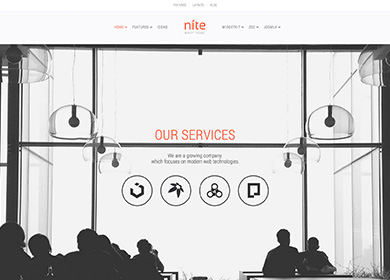
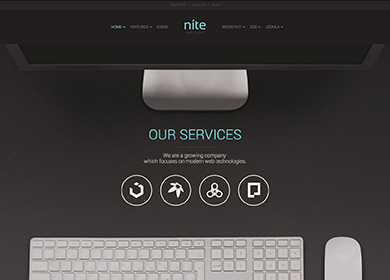
We provide lovingly crafted style variations to give you a glimpse of what is possible with this theme. The built-in theme customizer allows you to modify colors, fonts, sizes and much more without any CSS knowledge. Just choose your colors with the color picker and adjust the theme with only a few clicks. Click on one of the images to see the style.
Nite features an optional fixed navbar and in addition, you have the option to animate it on a scroll event. This theme prodivies a centered logo position between the menu items.
Flexible Positions
Nearly all theme position renderings can simply be customized in the Warp UI. You can choose from 5 background colors and 3 different paddings which makes the theme very versatile.
Fullscreen area
Nite also comes with another modern theme feature. We've included the option to add a fullscreen position where you can publish eye-catching content which adapts perfectly to your browser window size.
This theme is available for Joomla and WordPress including the same features on each system.






 Item 1
 Item 2
 Item 3
 Item 4
 Item 5
 Item 6
 Item 7
 Item 8












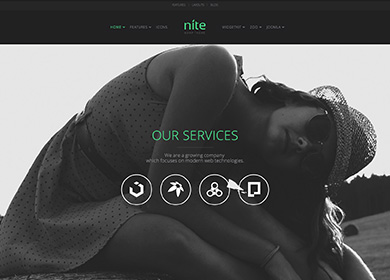
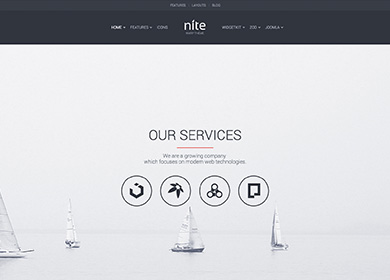
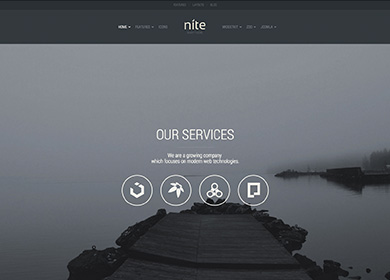
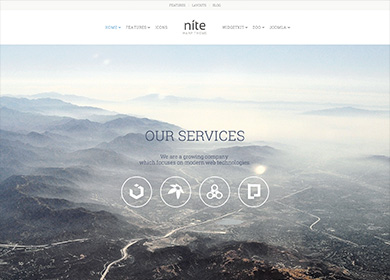
 Joomla and
  WordPress including the same features on each system.